Two-sided threads
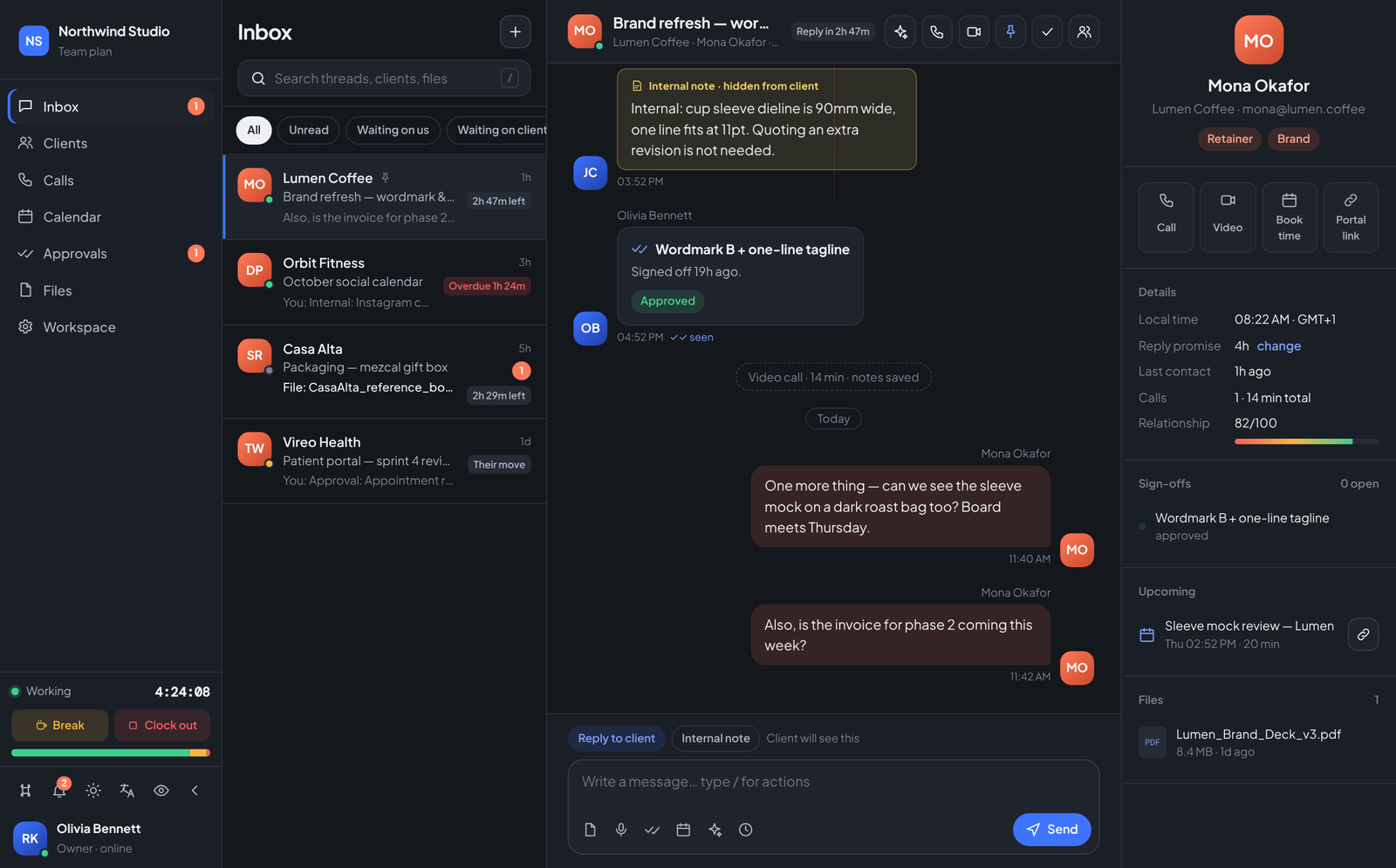
Team messages in cobalt, client messages in coral. Internal notes stay on your side only. Read receipts, reactions, replies and scheduled sends.
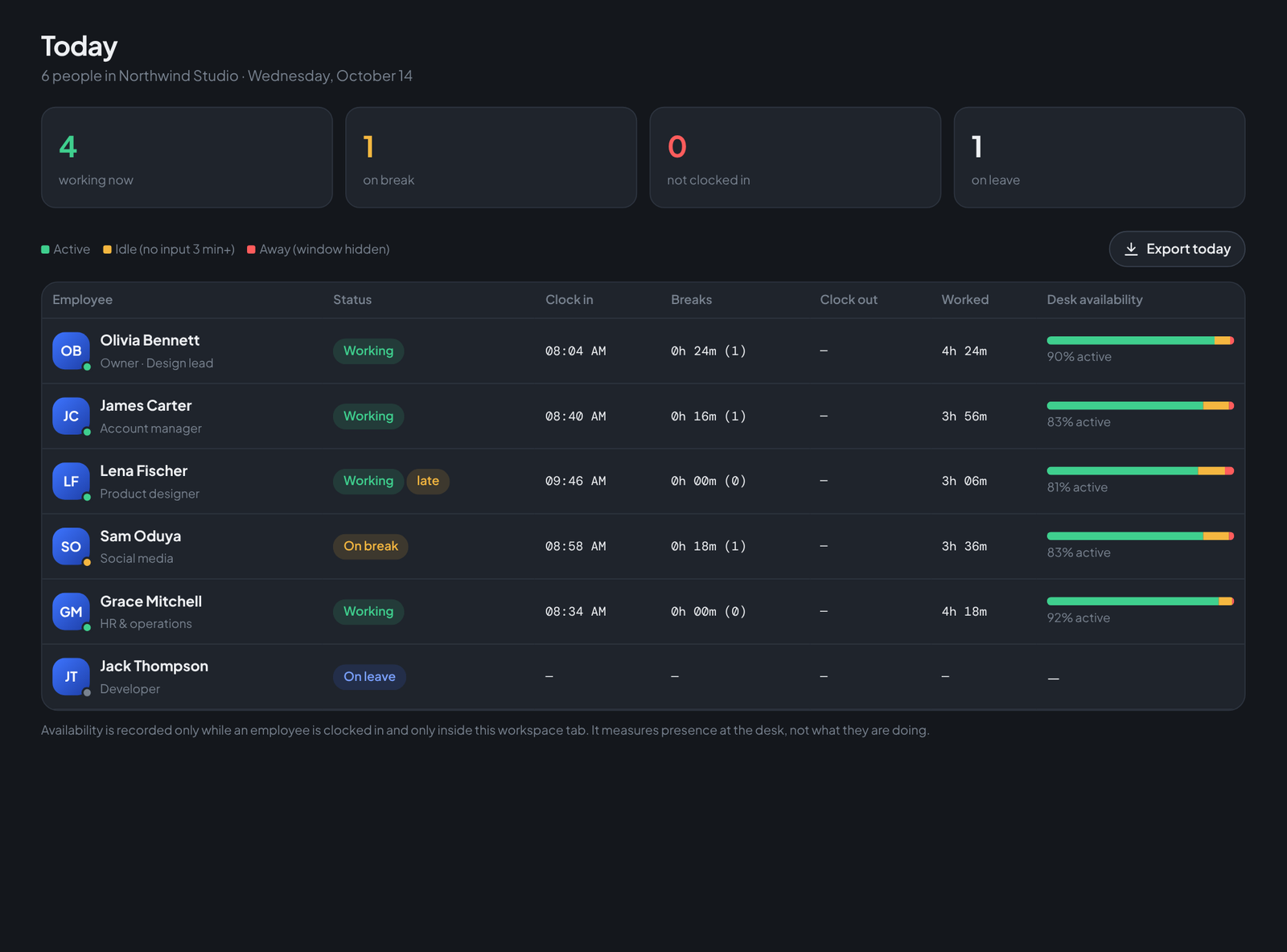
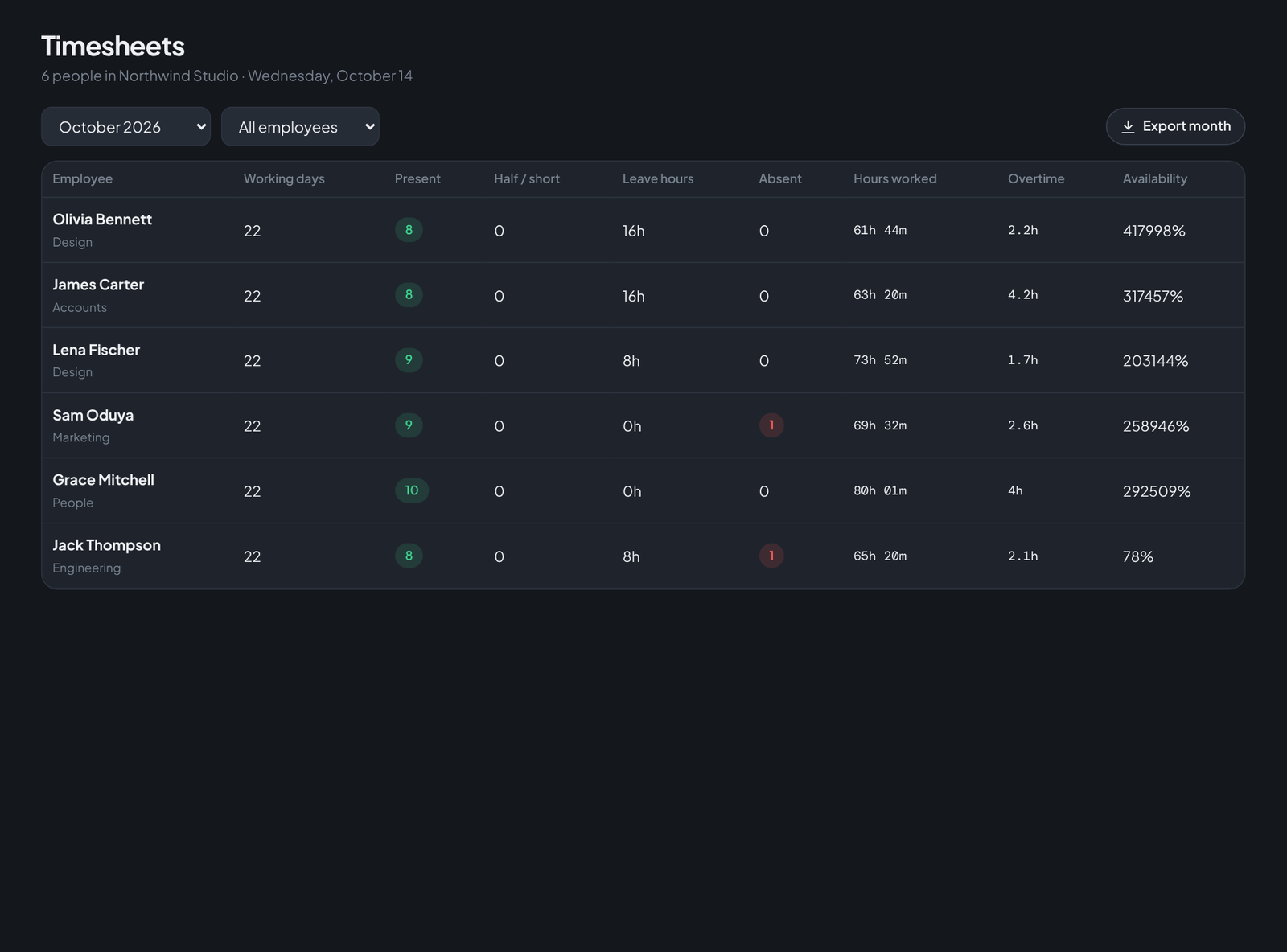
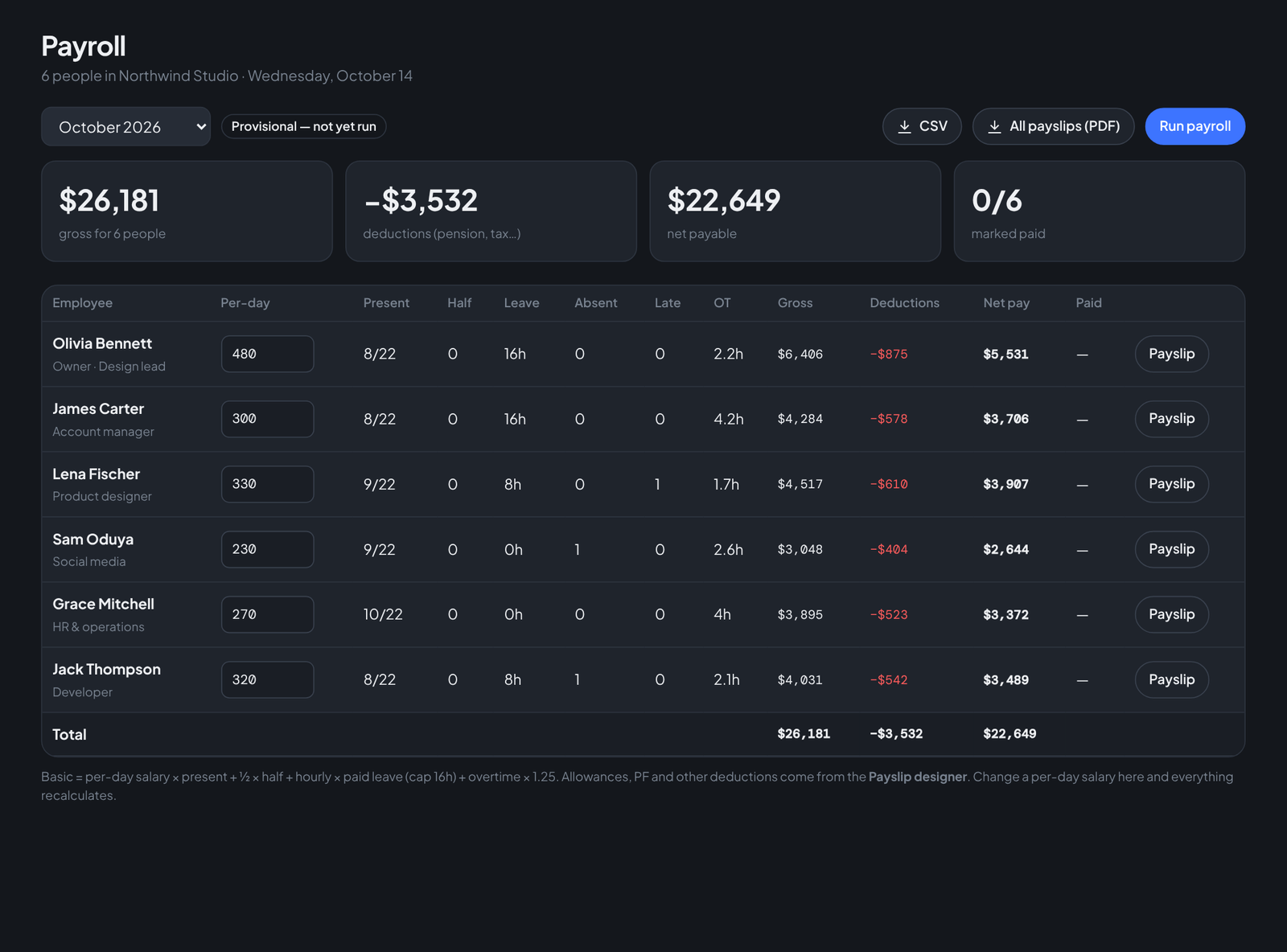
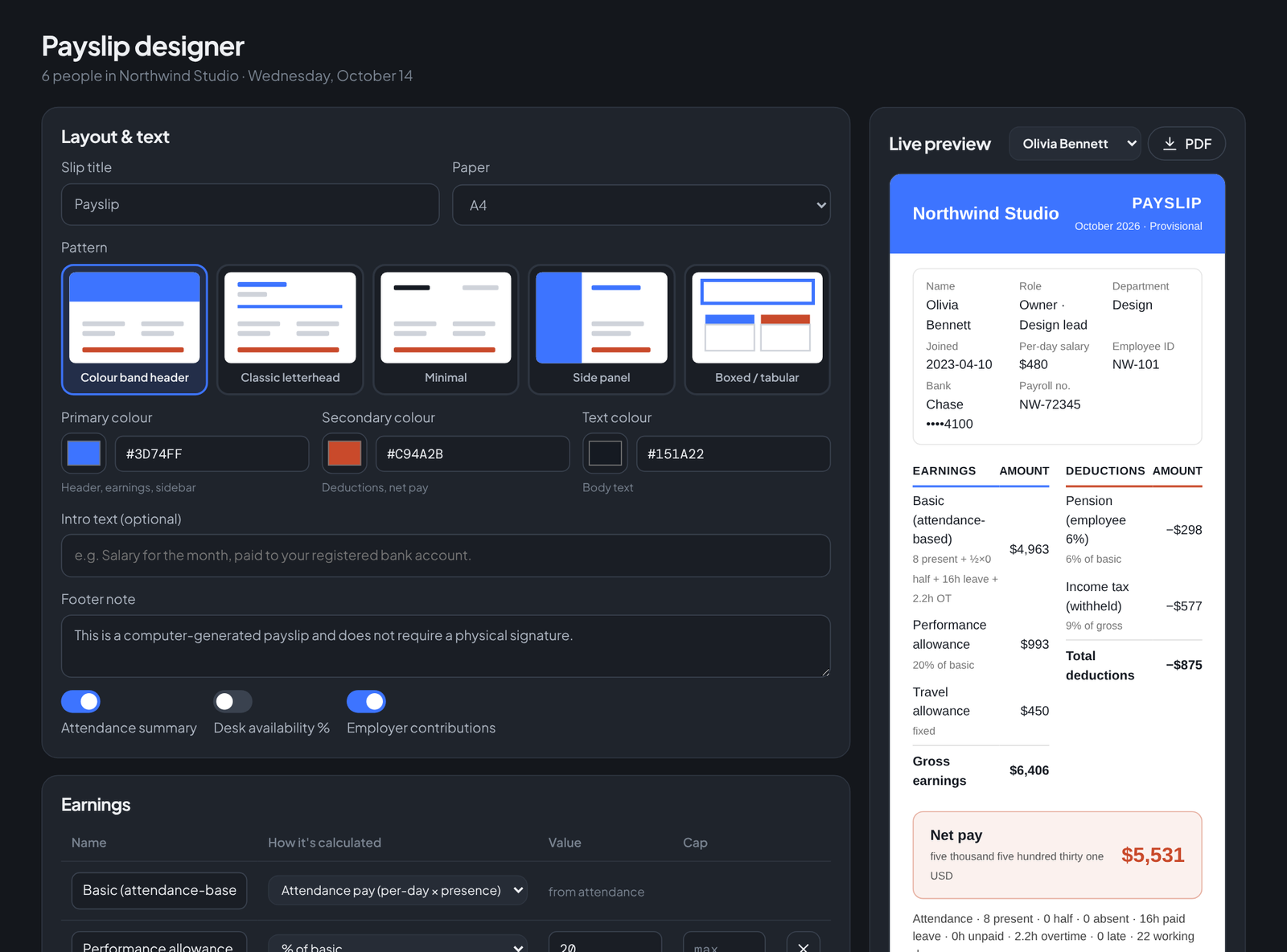
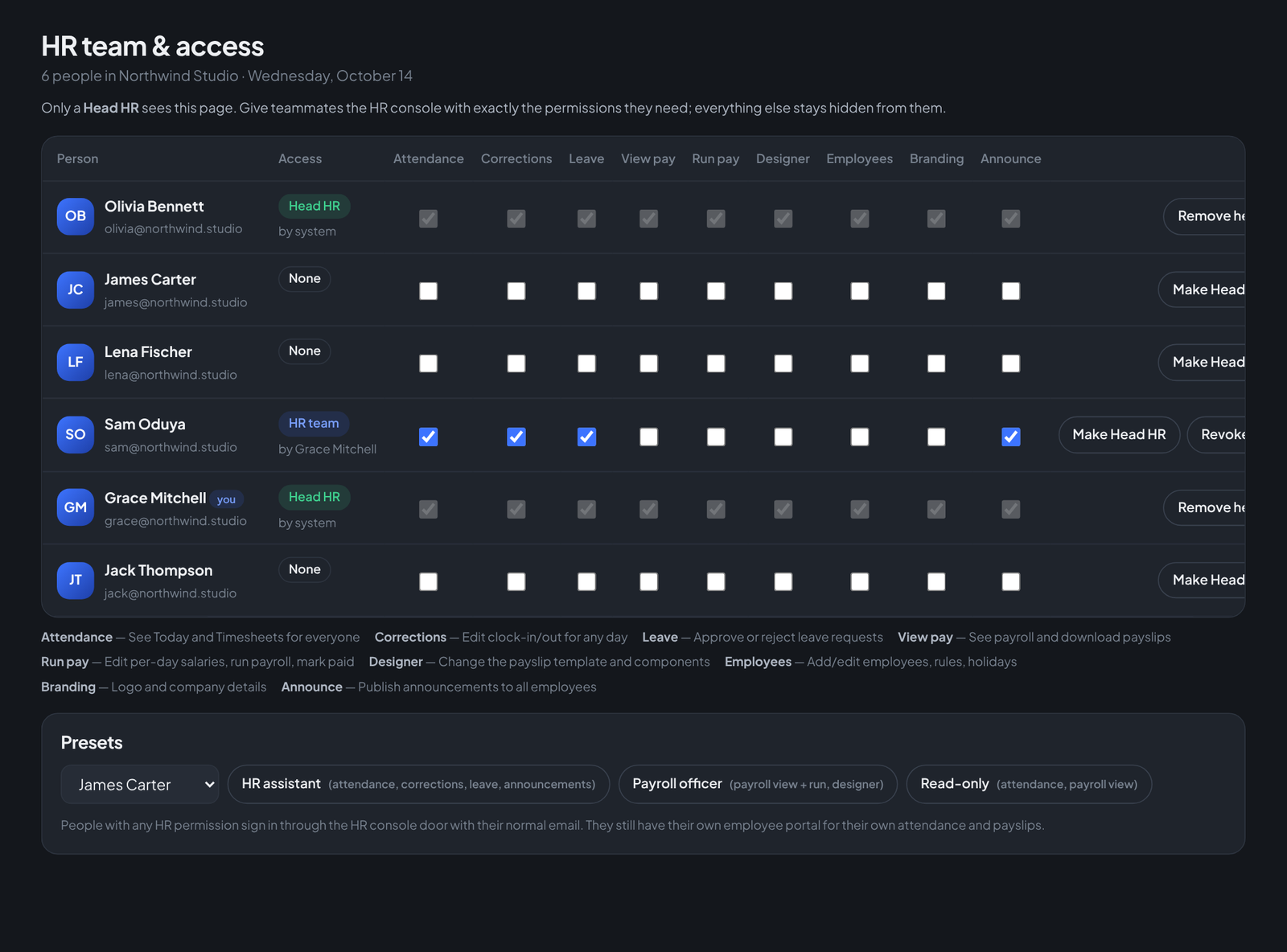
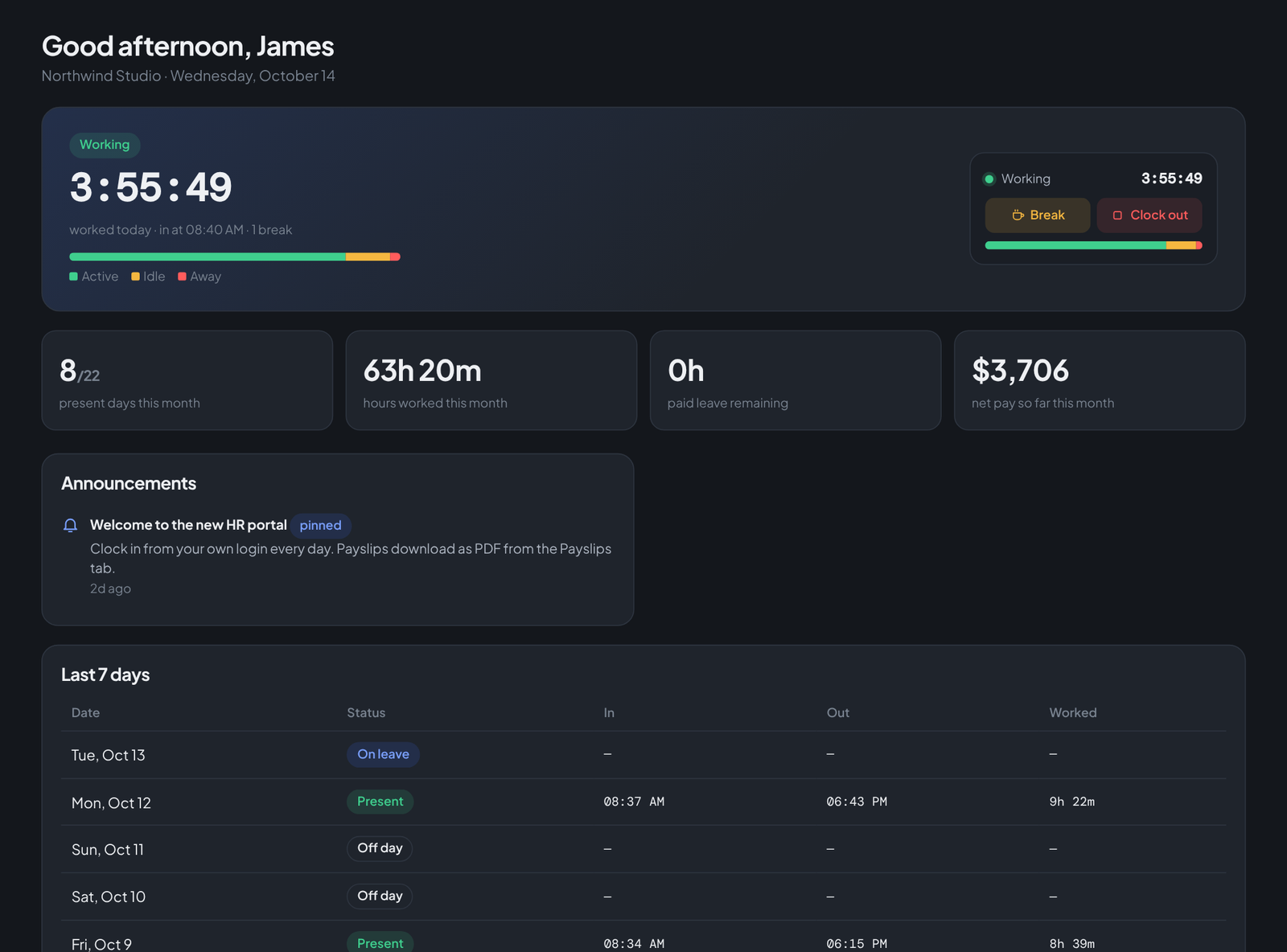
Your people clock in, take breaks and clock out in one tap — HR sees who's working, who's late and who's at their desk, live. Timesheets become branded payslips in minutes. And every client gets a single thread for chat, approvals and files, with internal notes they never see.
Teachers will run classes, teams will run stand-ups — free, with no time limit and no sign-up for participants, on Teamdott's own servers with no third-party service. It's in final testing; we're launching it only when it's rock-solid.
Ms. Kaur · 64 students · 01:12:40
Students open the link on a phone or laptop — nothing to install.
These are actual screenshots of Teamdott — the same product you sign into, not mockups. If your company still tracks attendance on paper or WhatsApp, start with the first two.

Teamdott installs straight from the browser — its own window, its own icon in the Start menu and taskbar, opening directly on the sign-in screen. No installer to download, updates arrive automatically, and the blog and marketing pages stay out of it.
If the button does nothing: in Chrome or Edge, click the install icon at the right end of the address bar (or menu → “Install Teamdott…” / “Apps → Install this site as an app”).
Pinned to taskbar · opens at Sign in
Your team installs it once; every update ships instantly to everyone.
Every message, call and decision is colour-coded by who it came from. At a glance you know who owes the next move — and so does the client.
Team messages in cobalt, client messages in coral. Internal notes stay on your side only. Read receipts, reactions, replies and scheduled sends.
Voice and video with screen share, a shared agenda, live notes and an automatic call card in the thread — decisions don't evaporate when the call ends.
Send anything for sign-off. The client approves or requests changes in one tap; the thread and the approvals board update together.
Set a response SLA per client. Each thread shows exactly how long you have left, and overdue replies surface first.
Pick a slot shown in your time and the client's. A booking link lets clients grab time without the back-and-forth.
Every meeting gets a join link. Send it to a client or a guest — they join from the browser, no account, no install.
Team workspace for client work, a private HR console for attendance and payroll, and an employee portal where each person sees only their own record and downloads payslips as PDF.
HR enters a per-day salary once. Month-end pay is worked out from presence — present days, half days, leave hours and overtime — with payslips ready to export.
Every company gets its own branded workspace, roles and client list. Clients see a clean portal with only their thread.
Summarise a long thread before a call, draft a reply in your tone, translate a client's message on the fly. It reads the thread; you make the decision.
Client picked wordmark B, wants the tagline on one line. Deck approved. Invoice timing is internal. Open question: launch date — they hinted at "end of month".
Free meetings and live classes are coming soon — and they'll be free for everyone. Companies pay a fair local price per seat for the client workspace and HR console. A company in Lagos, Lahore or Lisbon pays what makes sense there.