Running a company,
one workspace at a time
Practical writing on the problems Teamdott exists to solve — attendance and employee activity, payroll and payslips, client coordination, and meetings that cost nothing.

Free clock in / clock out software: what small businesses actually need
Most time-clock tools charge per seat for a button and a timestamp. Here is what a clock in/out system should include — and how Teamdott does it free.
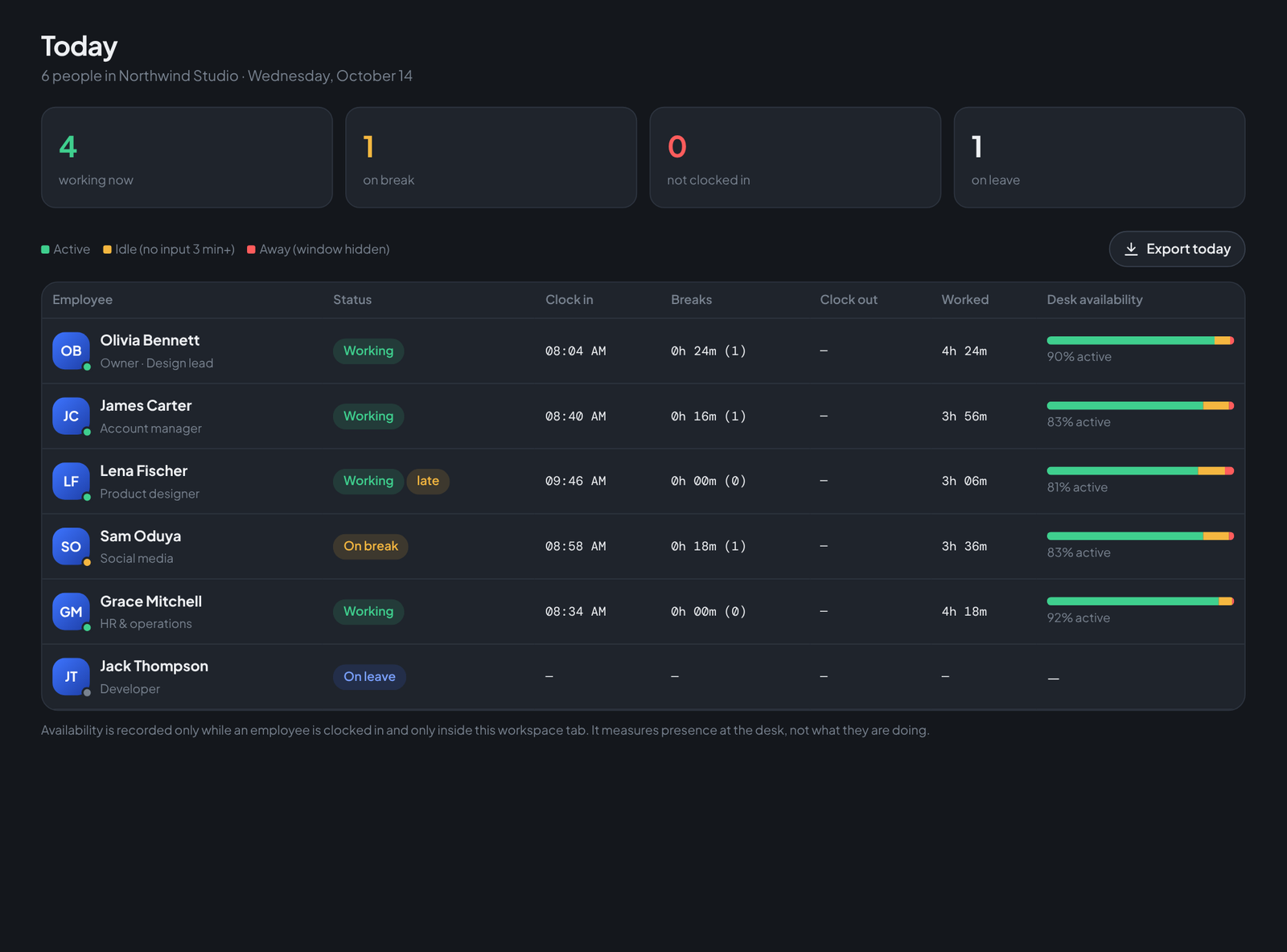
Employee activity tracking without turning into spyware
Screenshots-every-minute tools destroy trust. There is a middle path: presence signals — active, idle, away — tied to the clock, visible to the employee.
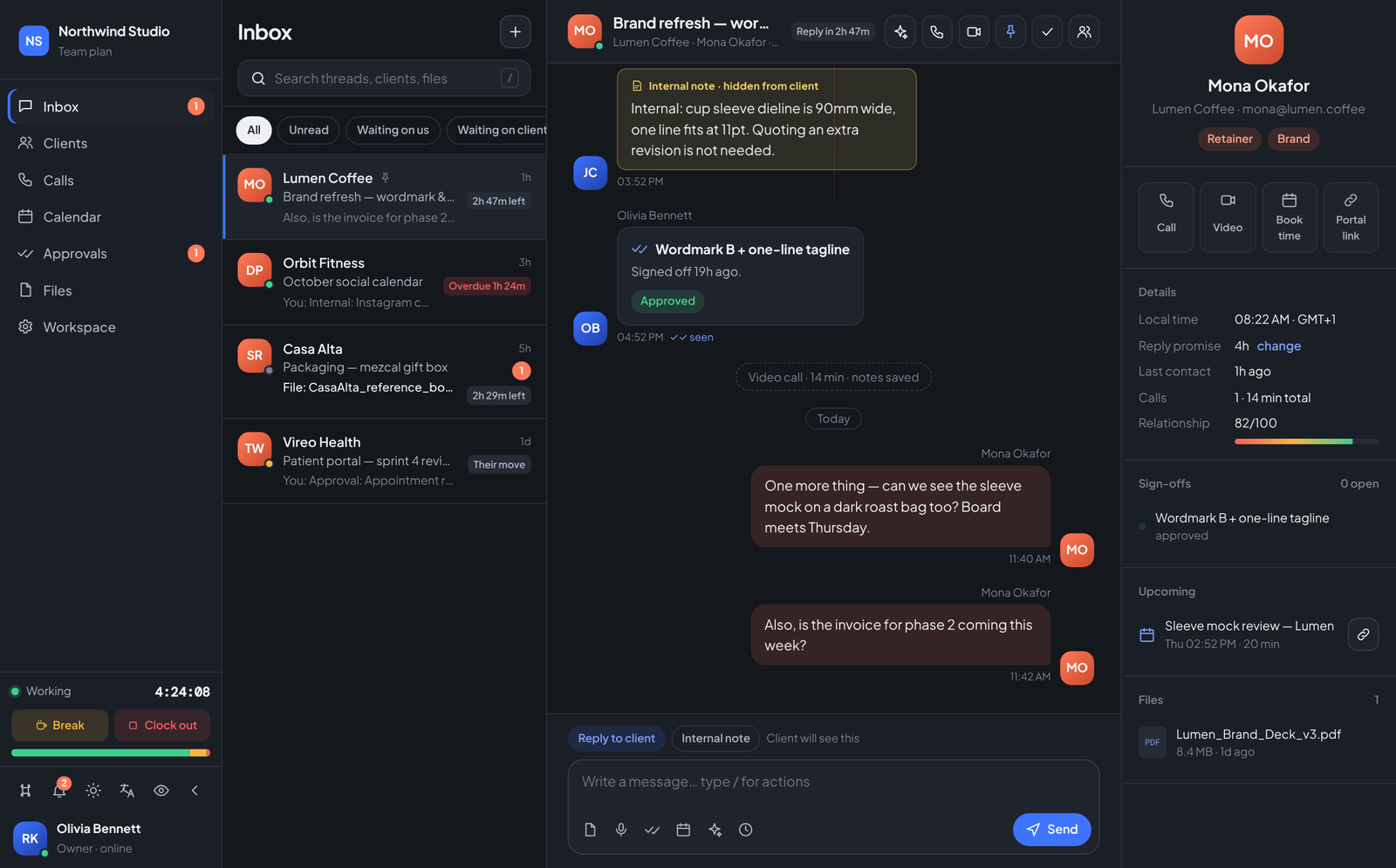
One thread per client: the inbox your client work deserved
Email chains, WhatsApp, and three collaboration tools lose decisions daily. A client coordination workspace keeps every message, file, call and sign-off in one thread.
Managing attendance for remote and hybrid teams
When nobody shares an office, attendance becomes guesswork. A browser-based clock with live status gives remote teams structure without micromanagement.
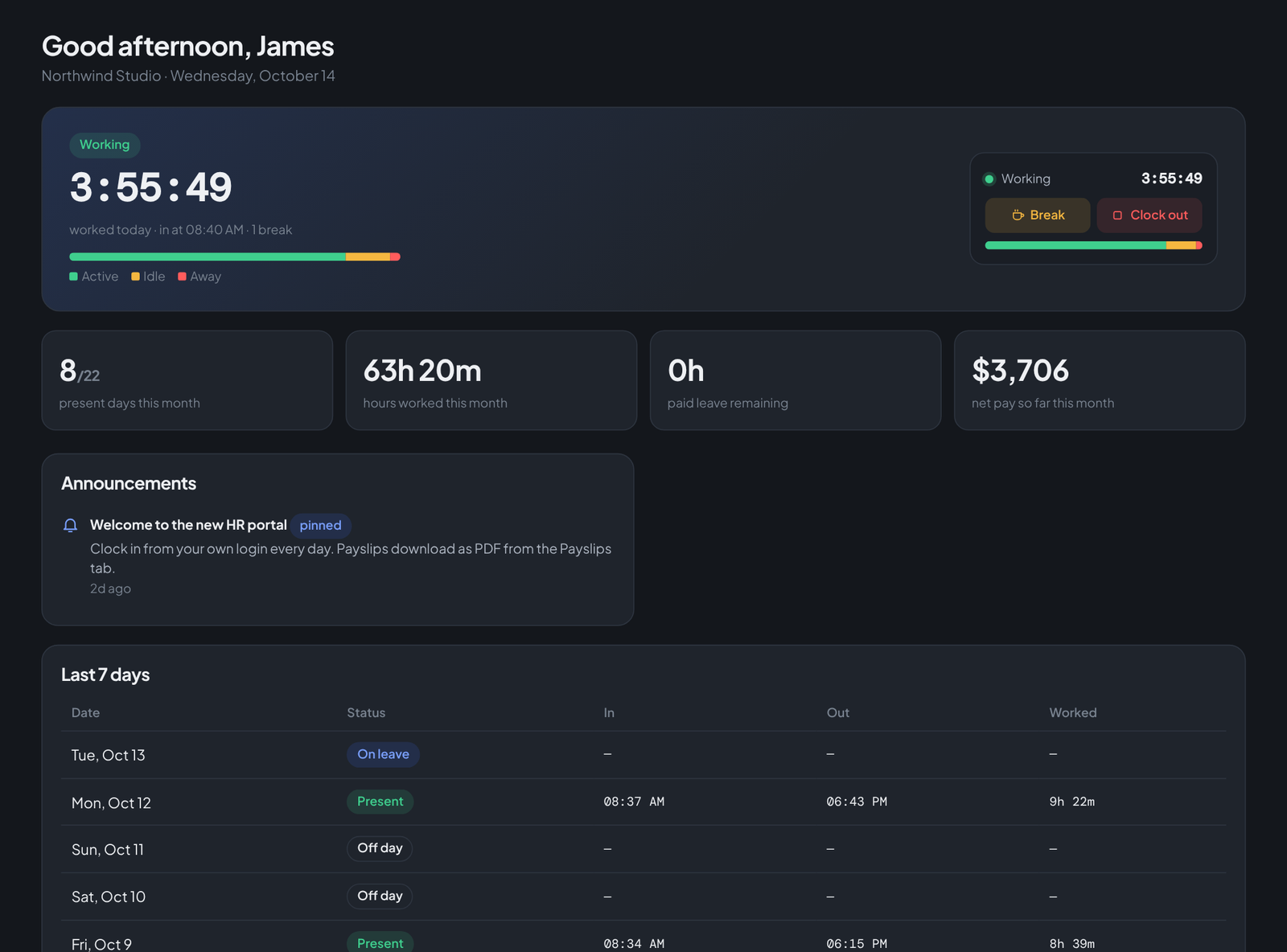
Install Teamdott as a Windows app (two clicks, no store)
Teamdott installs straight from the browser as a desktop app — its own window, taskbar icon, and startup launch. Here is how, in Chrome or Edge.
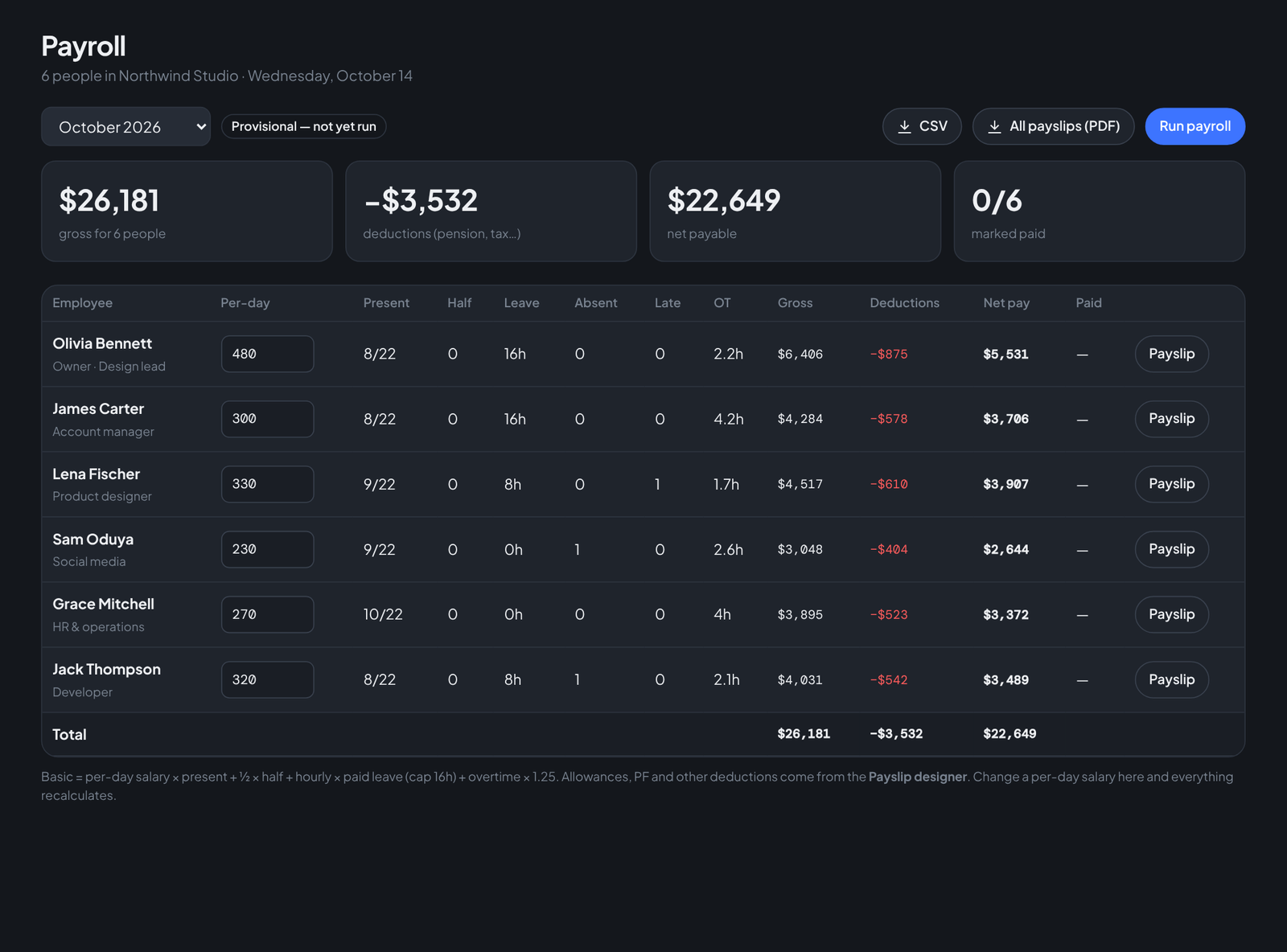
Payroll that calculates itself from attendance
Present days × day rate + overtime − deductions. If the clock already knows the first half, why are you retyping it into a payroll sheet?
Free meetings with no time limit: what Teamdott is building
No 40-minute cliff, no sign-up for participants, no third-party service in the middle — and why the meetings button says "coming soon" today.
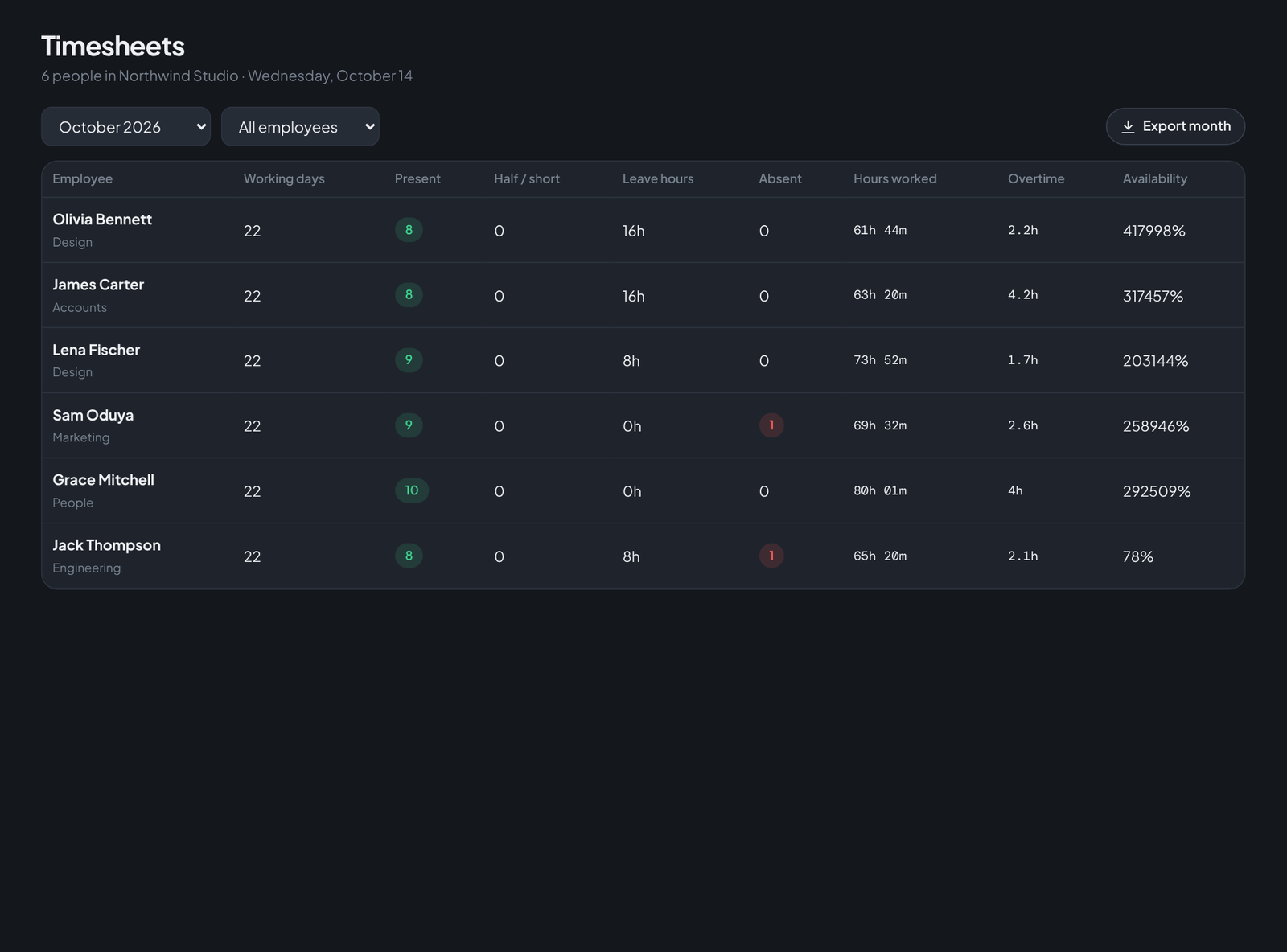
Timesheets without spreadsheets (or chasing people)
If your timesheet process involves a template, a reminder message and a deadline, the clock should be filling it in for you instead.
The real cost of five tools (and what one workspace replaces)
Chat, time tracking, leave, payroll exports, client portals — stack the per-seat prices and the switching cost, then compare.
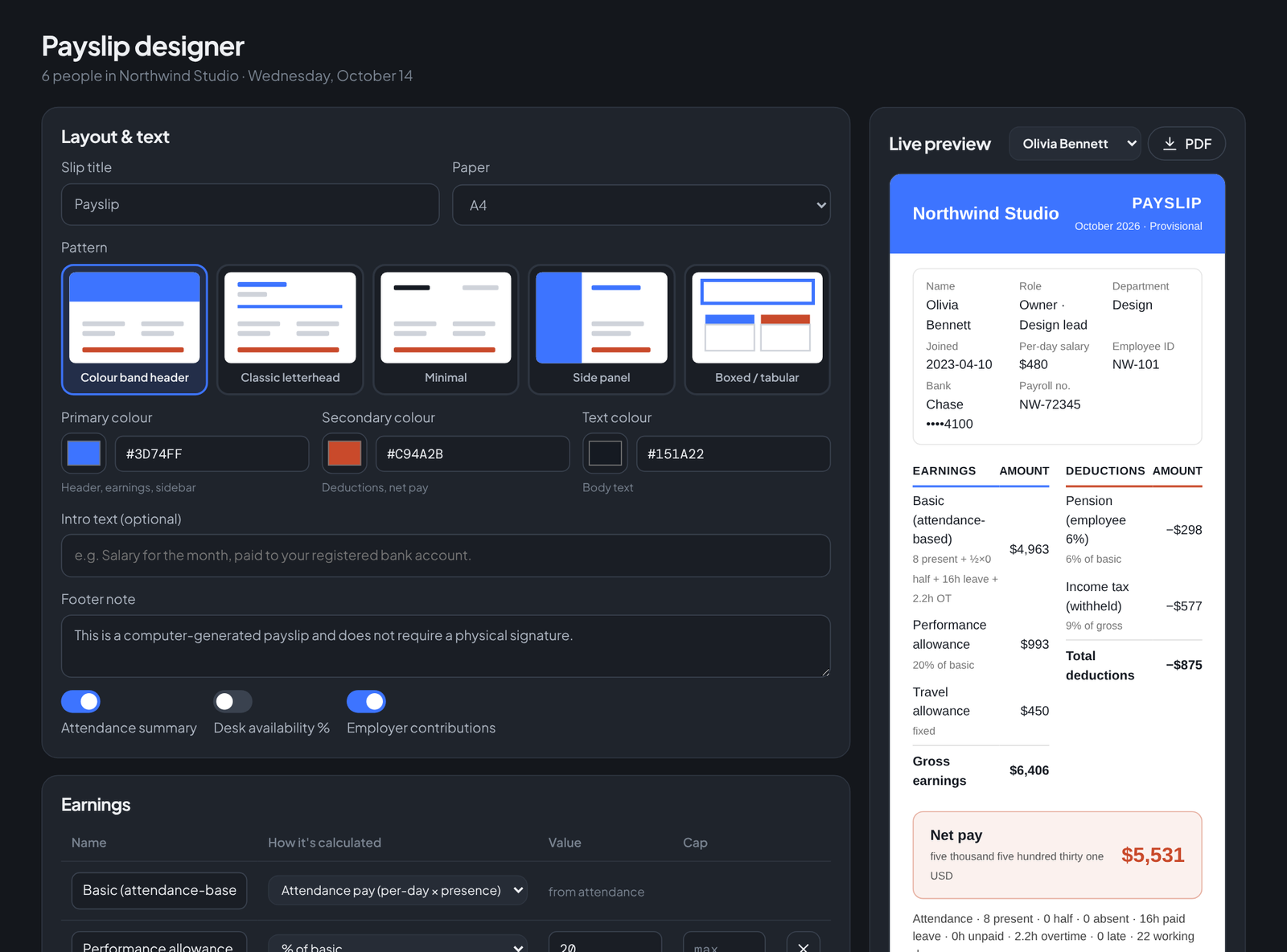
Branded payslips your employees can download themselves
Five layouts, your logo, your colours, your pay components — and a PDF every employee can fetch from their own portal without emailing HR.
Live online classes for tutors: no cost, no time cap, no student accounts
Tutors lose students to join-friction and lose lessons to time caps. A reusable link that just opens in the browser fixes both.
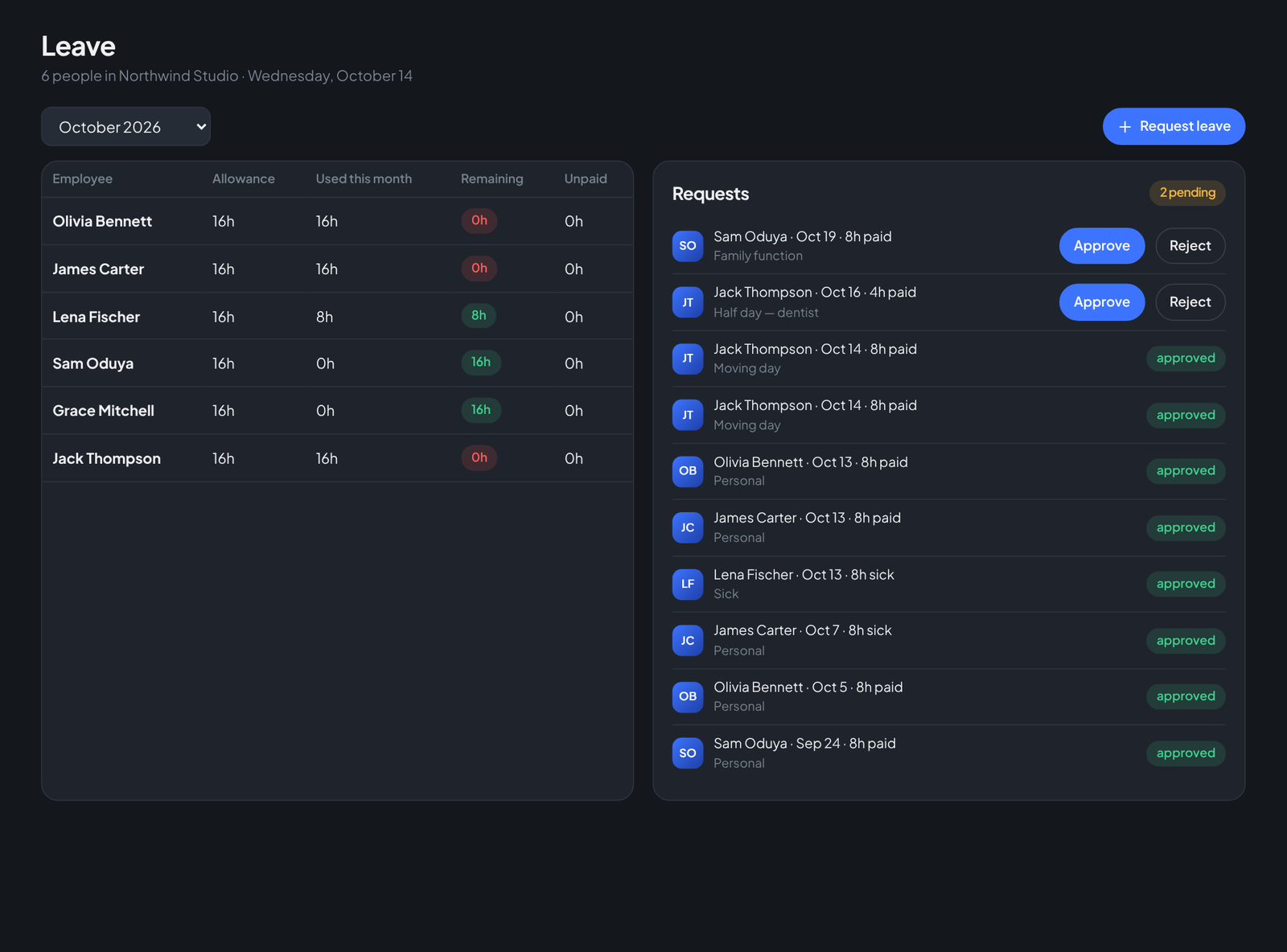
Leave management without the paperwork (or the guilt)
Requests with reasons, one-click approvals, balances that enforce themselves, and attendance that updates automatically.
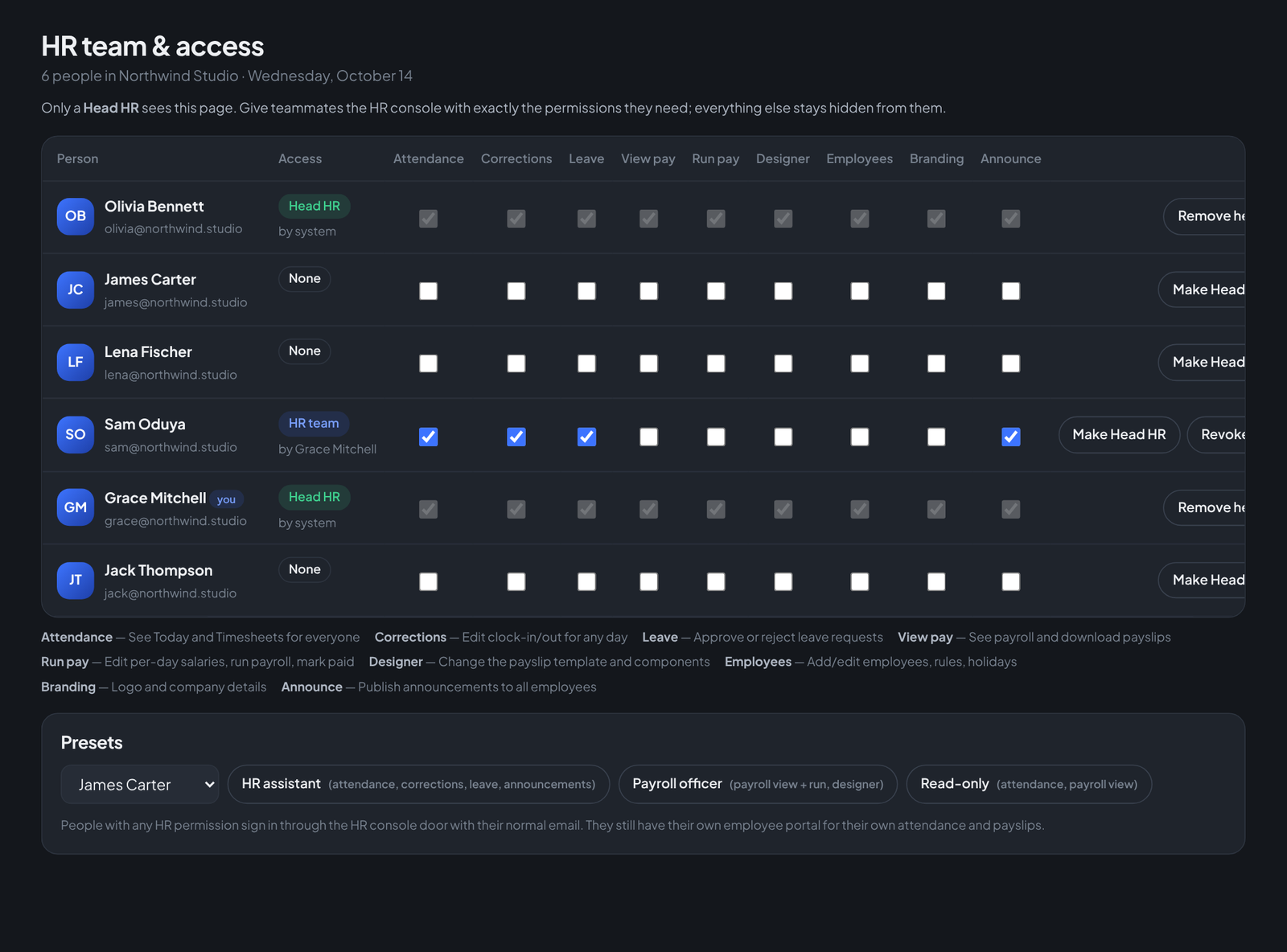
Delegating HR work without handing over the keys
A Head of HR, an assistant who handles attendance, a payroll officer who never touches salaries she shouldn\u2019t — granular permissions make small-team HR scale.
Internal notes your client never sees (in the same thread)
The pricing discussion and the client conversation belong in the same place — with a hard wall between them. Amber notes solve the dual-channel problem.
Employee self-service: the end of "can you send me my payslip?"
Every question an employee asks HR about their own data — hours, leave balance, payslips — is a question a portal should answer.
Who's at their desk right now? Live team status explained
Working, on break, late, on leave, away — Teamdott's Today screen turns six people's mornings into one glance.
Late marks, overtime and weekend rules on autopilot
Set the rules once — late after 9:30, overtime past 8 hours at 1.25×, Sundays off, your own holiday list — and stop refereeing.
Sign-offs and reply promises: how client work stops slipping
Scope creep starts where approvals are vague. Put sign-offs in the thread with a status, and give every client a reply-time promise you can actually see.
How a 6-person agency runs its whole operation in one workspace
A walkthrough: four clients, six people, one tool — threads for the work, a clock for the hours, payroll for the month-end.
Company announcements people actually see
Group-chat announcements die in the scroll. Put notices where every employee already looks every day: next to the clock.
Private by design: how Teamdott treats your company\u2019s data
Attendance, salaries and client conversations are the most sensitive data a small company has. The honest answers to the questions you should ask any vendor.