Free clock in / clock out software: what small businesses actually need
Every company with more than two people eventually asks the same question: who worked, when, and for how long? Most tools that answer it charge $4–8 per employee per month — for what is essentially a button and a timestamp. That pricing makes sense for the vendor, not for a 12-person business.
What a time clock needs to do
Strip away the enterprise brochures and a working time clock comes down to five jobs:
- One-tap clock in and out from the employee's own login — no shared kiosk password, no buddy punching on someone else's row.
- Break tracking that pauses the worked-hours counter instead of pretending lunch is labor.
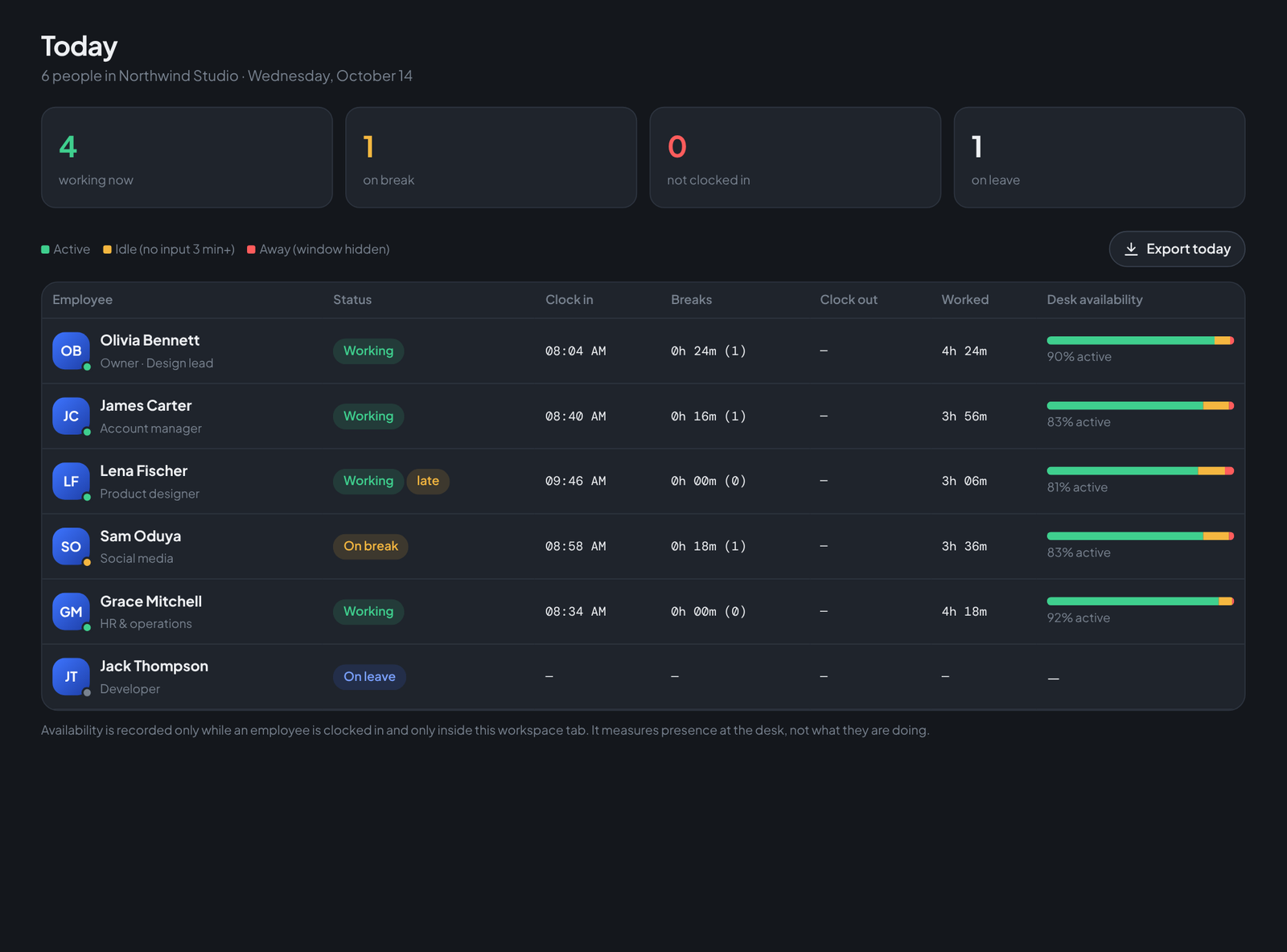
- A live view for the owner or HR — who is on the clock right now, who is late, who never showed.
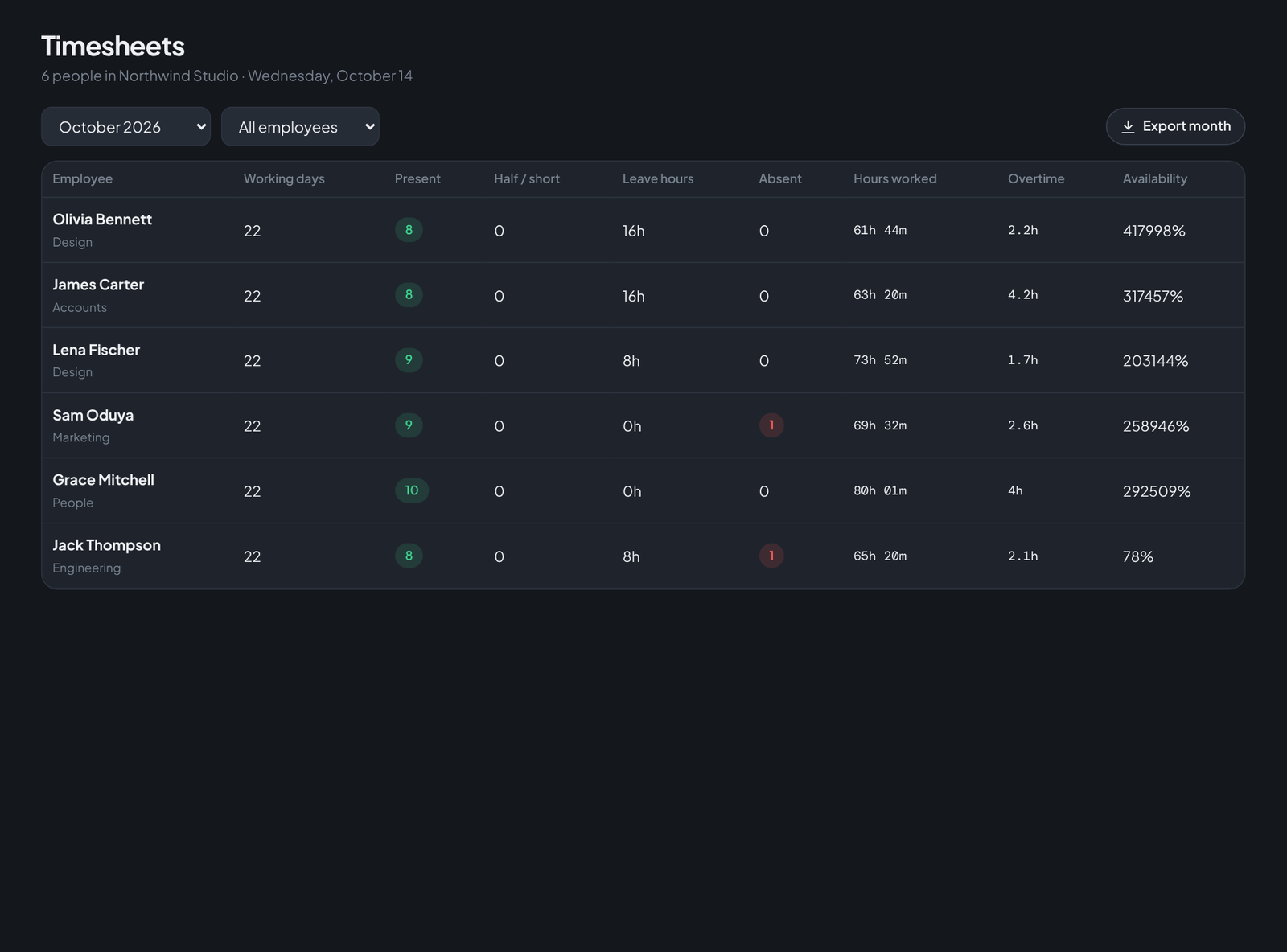
- A clean daily record that survives into timesheets and payroll without re-typing.
- Corrections with an audit trail, because someone will always forget to clock out before a long weekend.

How it works in Teamdott
Each employee signs into their own portal and sees one card: a Clock in button, a running timer, and a Break button that flips the state to amber. The owner and anyone with HR access see the same information rolled up for the whole company on the Today screen — including late flags based on a start time you set yourself.
Because the clock writes straight into the attendance record, the data flows on without any exports: the timesheet grid fills itself in, and at the end of the month payroll multiplies present days by each person's day rate automatically.
What it costs
The attendance clock is part of Teamdott's free plan for up to 3 people, and part of every paid workspace after that — it is never priced per punch or gated behind an "HR add-on". You can try the whole flow right now in the live preview with a seeded demo company.
Run your team on Teamdott
Clock in/out, live availability, timesheets, leave, payroll and branded payslips — plus one thread per client. The workspace preview is open: no card, no setup call.