Who's at their desk right now? Live team status explained
Every owner has a version of the same morning ritual: scroll the group chat, count the "good morning"s, and guess. The Today screen exists to delete that ritual.
One screen, five statuses
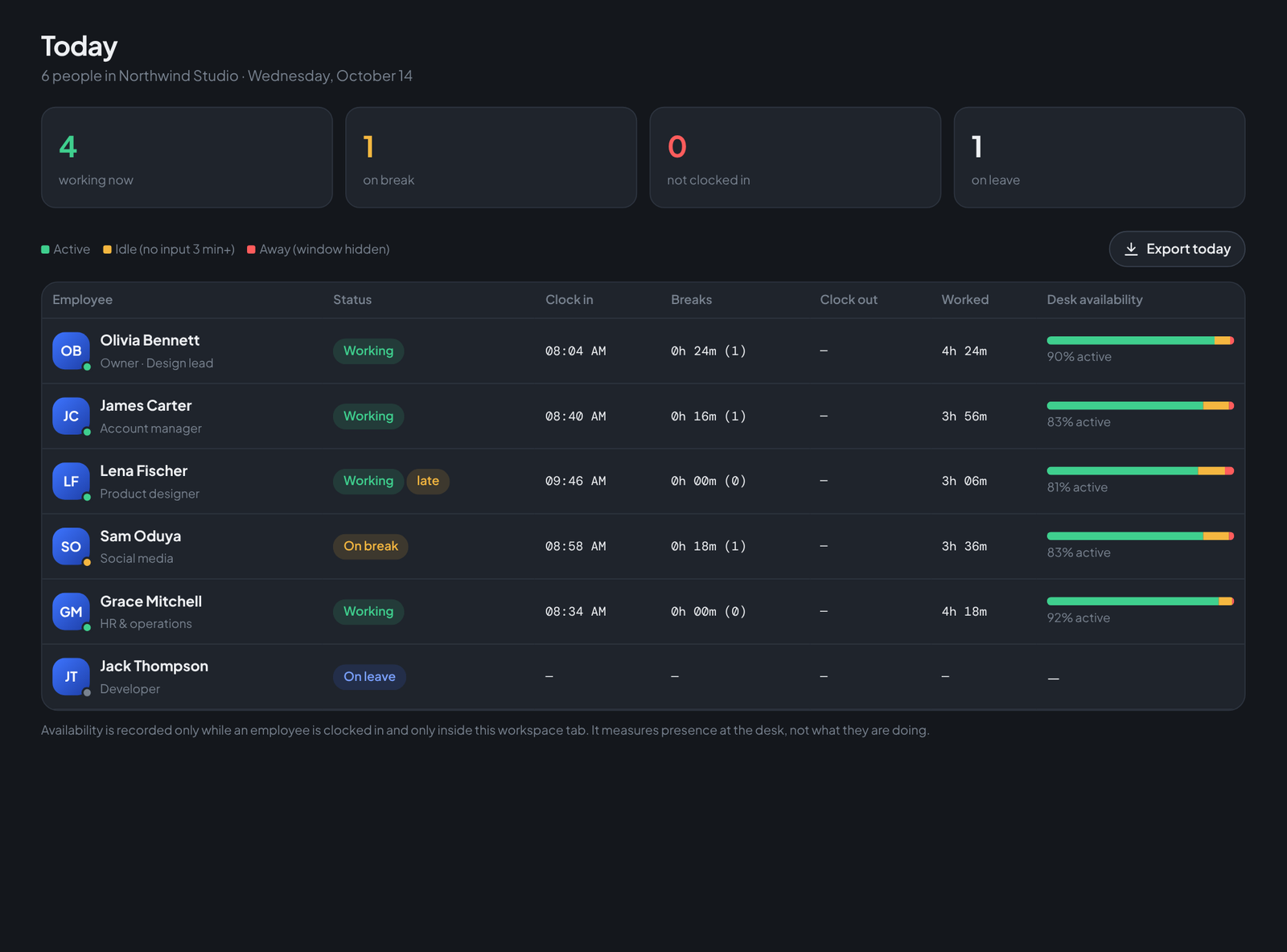
Across the top, four tiles: working now, on break, not clocked in, on leave. Below, one row per person with their clock-in time, break total, hours worked so far and a desk-availability bar — the share of their clocked time that was active at the keyboard, idle, or away from the window.
The details that make it trustworthy
- Late flags come from your rule. Set "late after 9:30" once in Rates & rules; Lena clocking in at 9:46 gets a quiet amber late pill — no one has to be the bad guy.
- Breaks are visible, not punished. An open break turns the row amber. Sixteen minutes of coffee is a number, not an accusation.
- Approved leave fills the row. Jack's "Moving day" leave shows as On leave rather than a guilty blank — because the leave system and the attendance system are the same system.
- Export today gives you the day as a CSV whenever a client or an auditor asks.
Who sees what
Employees see their own bar on their own clock card. The owner and anyone granted the Attendance permission in HR team & access see everyone. Clients see nothing — the HR console is a separate, private login.
Run your team on Teamdott
Clock in/out, live availability, timesheets, leave, payroll and branded payslips — plus one thread per client. The workspace preview is open: no card, no setup call.
