Employee activity tracking without turning into spyware
Managers want to know their team is actually working. Employees do not want a camera over their shoulder. Most "employee monitoring" software resolves that tension in the worst way possible — screenshots every few minutes, keystroke counts, webcam snapshots. Teams quietly hate it, and the best people leave.
The middle path: presence, not surveillance
There is a signal that answers the manager's real question without reading anyone's screen: desk availability. While an employee is clocked in, the workspace tab notices three states:
- Active — keyboard or mouse input in the last few minutes.
- Idle — clocked in, tab open, but no input for 3 minutes or more.
- Away — the window is hidden or minimised.
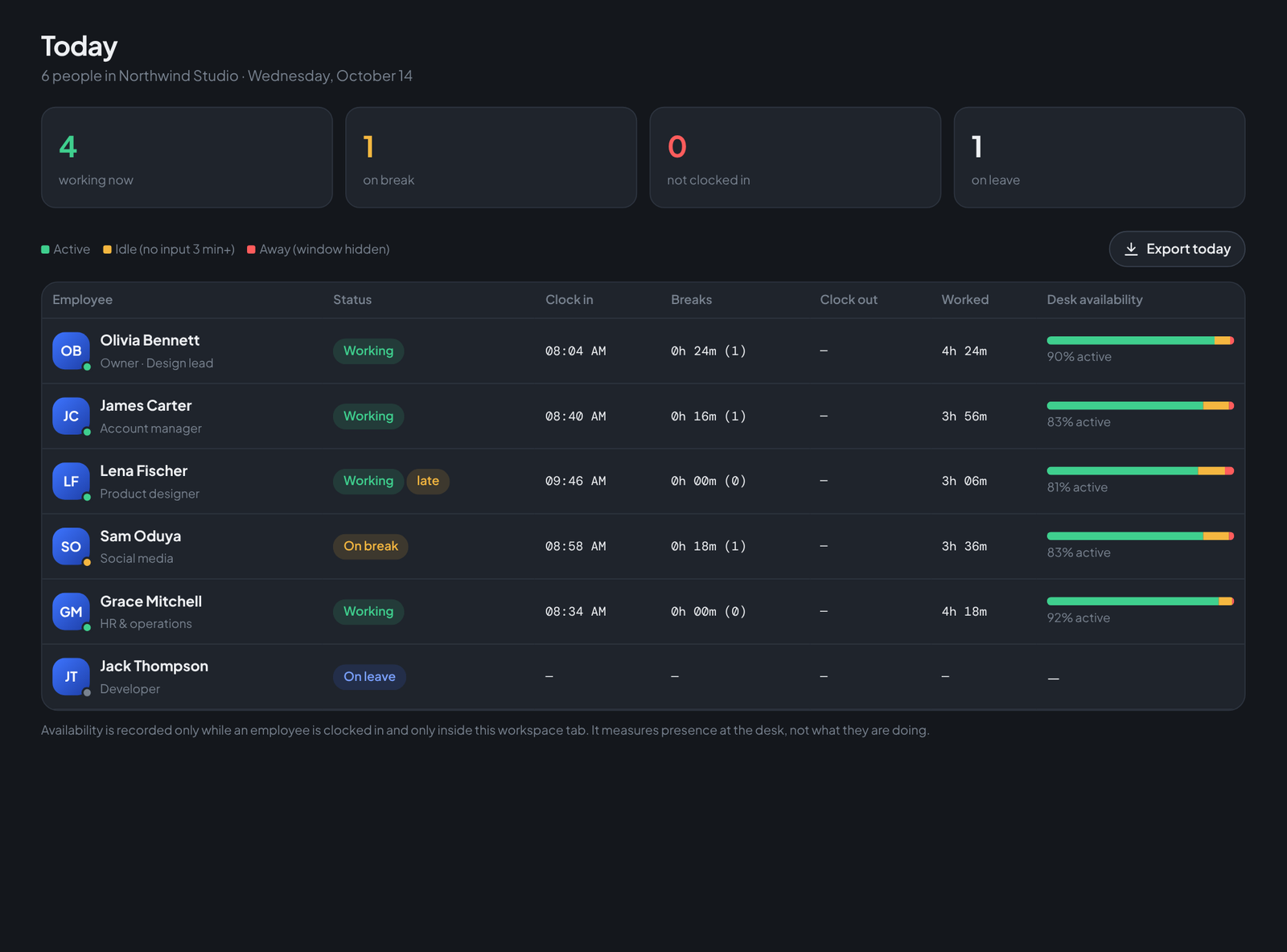
That is enough to answer "is the team at their desks?" — and it is deliberately not enough to answer "what exactly is on Jack's screen?", because that second question is where trust dies.
Three rules that keep it fair
- It only runs while clocked in. Off the clock, nothing is recorded. Lunch breaks, evenings and weekends are invisible by design.
- The employee sees exactly what HR sees. The same green/amber/red bar sits on their own clock card — no secret ledger. What employees can see for themselves, they never need to fear.
- It measures presence, not performance. Teamdott states this in the HR console itself: availability tells you someone is at the desk, not whether their work is good. Performance is a management conversation, not a metric.
What managers actually do with it
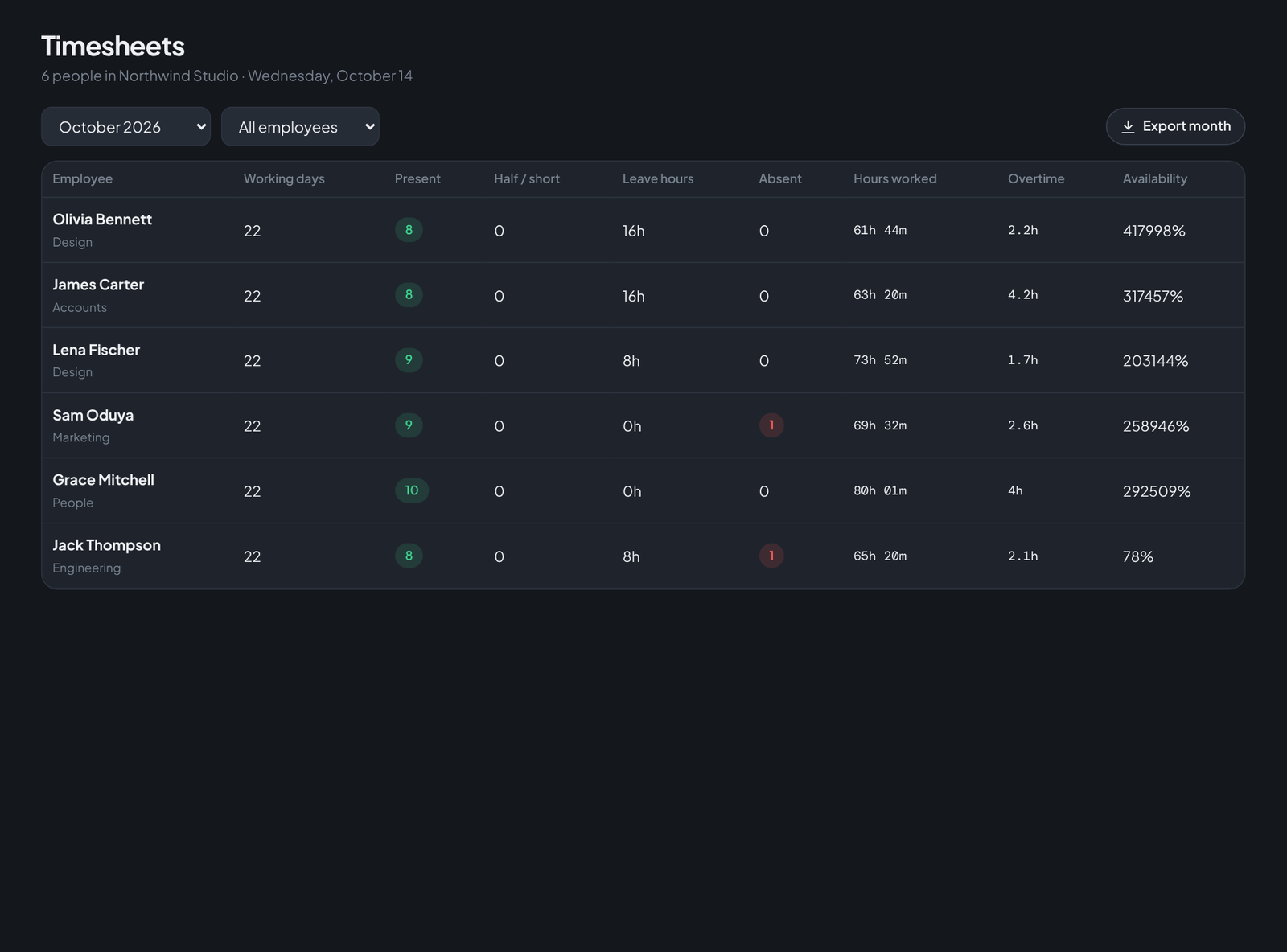
In practice the Today screen replaces the morning "who's in?" message. Late arrivals get flagged automatically against your own start-time rule, breaks show in amber, approved leave shows as a quiet blue pill instead of an empty row, and the availability percentage gives a fair picture across the month — not a verdict on any single hour.
Run your team on Teamdott
Clock in/out, live availability, timesheets, leave, payroll and branded payslips — plus one thread per client. The workspace preview is open: no card, no setup call.