Sign-offs and reply promises: how client work stops slipping
Two numbers quietly decide whether a client relationship feels professional: how long you take to reply, and whether "approved" means anything. Most teams track neither.
Approvals as objects, not vibes
In Teamdott a sign-off request is a card in the thread with a title and a status — pending, approved, or declined, with a timestamp. The client taps approve in their portal; the card updates for everyone, forever.
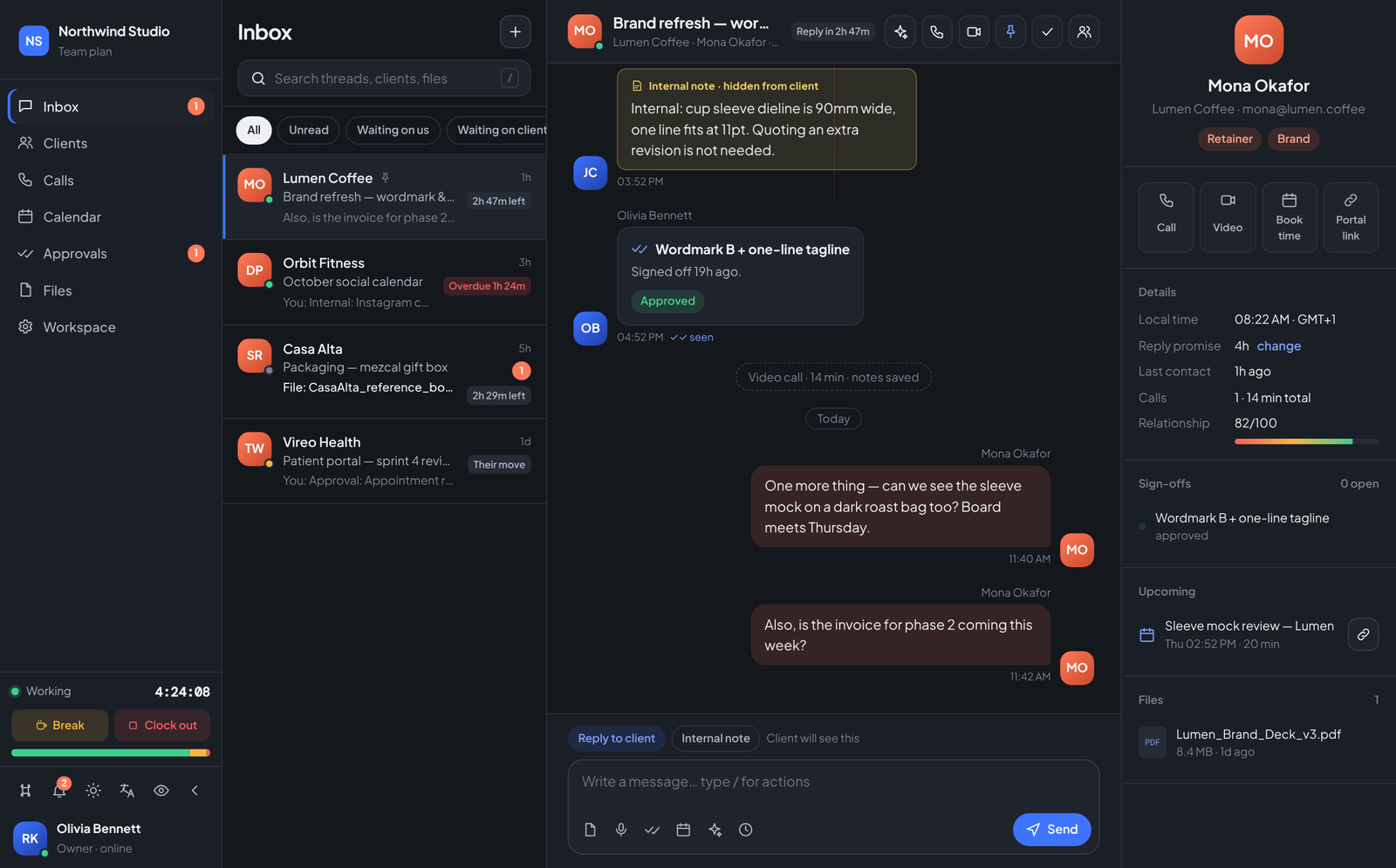
- Scope disputes end at the card. "You approved the wordmark on the 12th" is a link, not a memory.
- Open sign-offs are a queue. The Approvals view lists everything pending across all clients — and a kanban board shows where each piece of work stands.
- Invoicing gets easier. Phase 2 starts when the phase 1 card says approved. Billing attaches to facts.
Reply promises (SLA, in human language)
Each client carries a reply promise — say, 4 business hours. Every thread shows the countdown: "Reply in 2h 47m" while you are safe, Overdue 1h 24m in red when you are not. The inbox sorts by urgency, so the morning question is never "who do I feel guiltiest about?" but simply "what is at the top?"
Approvals and promises both live inside the single client thread, alongside the files and the internal notes that explain them.
Run your team on Teamdott
Clock in/out, live availability, timesheets, leave, payroll and branded payslips — plus one thread per client. The workspace preview is open: no card, no setup call.